Download on the App Store
New in 1.1: Series, one story told in parts

For iPhone, iPhone Duo and iPad

Every story worth telling, researched in a minute or two.

Drop in a topic, a question or a link. Lorelet goes down the rabbit hole for you and comes back with a lorelet: the whole story, written with character, with pictures, a citation for every claim, and a narrator ready to read it to you.

Or read today's lorelets, free

Lorelet's Today screen
A lorelet about the Boston molasses flood of 1919

lo·re·let

LORE-let noun

1. A little piece of lore: the whole story of something, researched from the best sources, written with character, and ready to be told out loud.

“I made a lorelet about the molasses flood on the way to work. You won’t believe the lawsuit.”

How it works

Ask anything. Get the whole story.

  1. 1

    Drop anything in

    A topic, a question, a half-remembered story. Or share a link straight from Safari, YouTube, Reddit, TikTok or any other app.

  2. 2

    Lorelet does the reading

    It checks journals, official records, encyclopedias and major outlets, reads the pages you gave it, and finds pictures from open archives and official sources, all in parallel.

  3. 3

    Get it with receipts

    A minute or two later: the story, cited claim by claim, with a confidence score, a gallery, a toolkit for telling it, and narration close behind.


Receipts included

Every claim, cited.

Lorelet reads the way a good researcher does: journals, official records and encyclopedias first, then major outlets, then the open web. Forums count as opinion, never as proof. Tap any citation to see where it came from.

  • Sources ranked by how much they can be trusted
  • A confidence score for every lorelet
  • What’s uncertain is labeled as uncertain
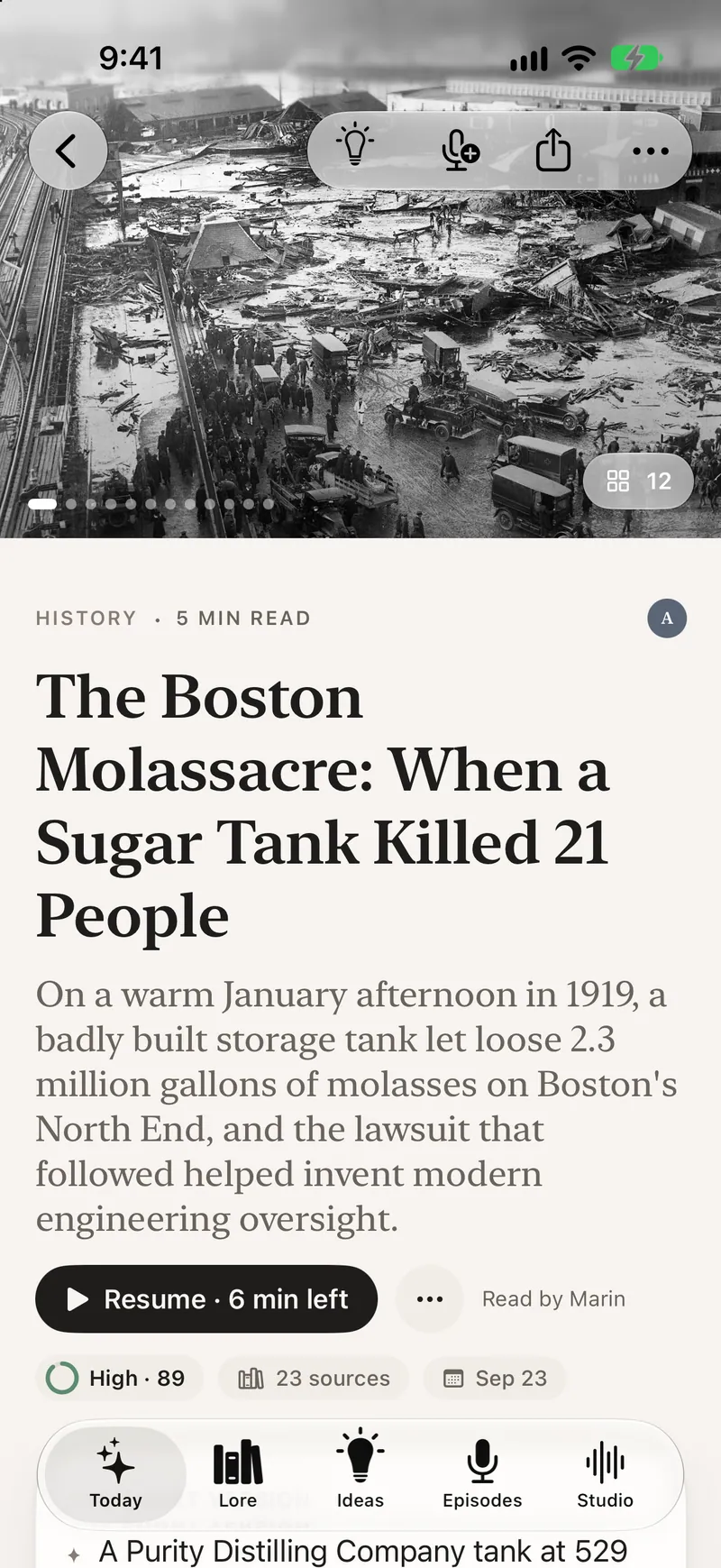
A lorelet about the 1919 Boston molasses flood, with its confidence score and sources

New: Series

One story, told in parts.

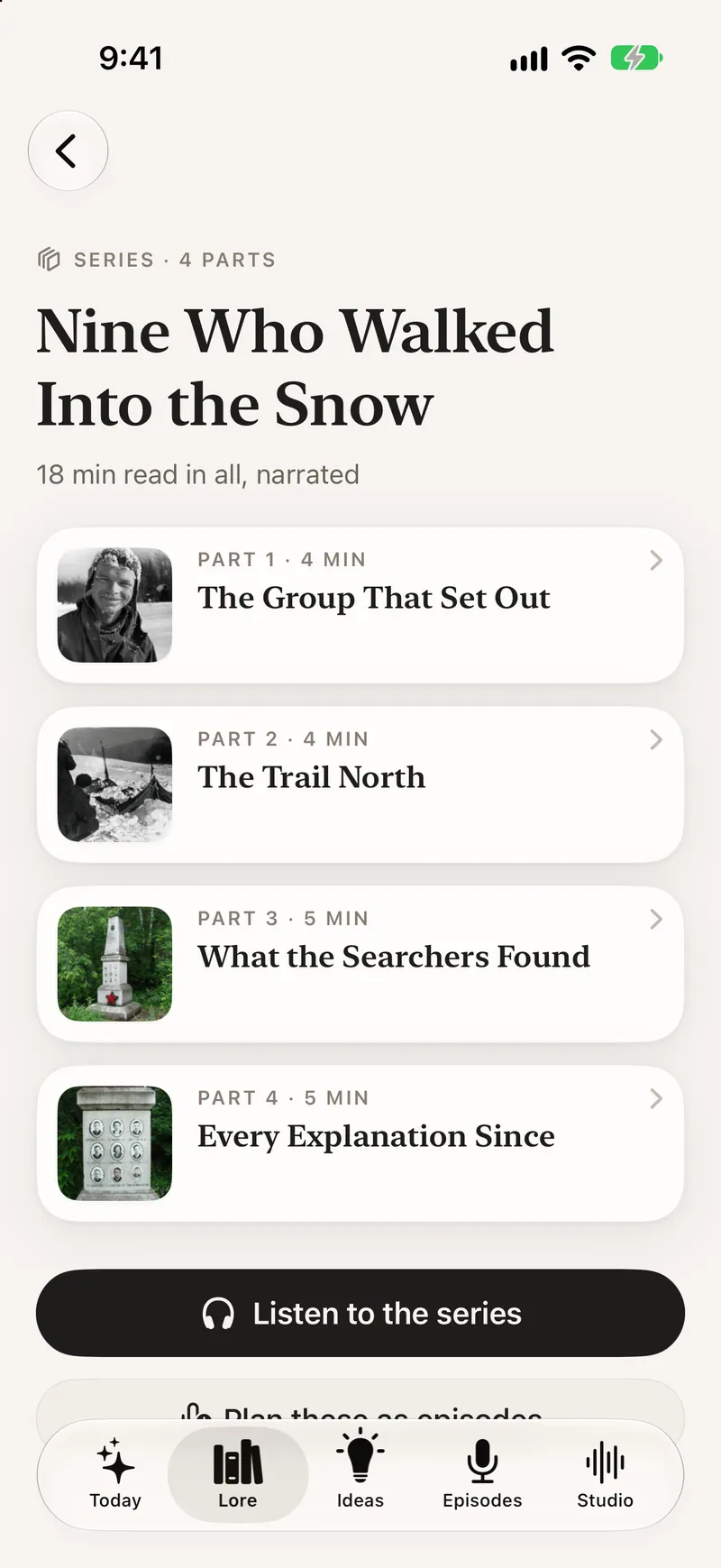
Some stories need more than one sitting. Ask for a series of up to 12 parts and Lorelet plans the arc first: what each part covers and the question it answers. Steer it, reorder it, add or cut parts. Then they’re written in order, each one picking up where the last left off.

  • Turn any lorelet into Part 1 when you want more
  • Listen to the whole series back to back
  • One tap plans the parts as podcast episodes
A four-part Lorelet series about the Dyatlov Pass incident, with each part listed in order

The gallery

Pictures that belong to the story.

Every picture is looked at before it makes the cut. Duplicates, stray logos and off-topic shots are dropped, and captions describe what’s actually in the frame. They come from open archives and museum collections, or from a company’s own site and press releases when it’s the story, always credited.

  • Swipe, zoom and read the credit
  • Pictures placed through the text, too
  • Pick the cover, add your own photos, or ask for an illustration
A full-screen photograph of the molasses flood aftermath in the Lorelet picture viewer

Listen

A podcast about whatever you’re curious about.

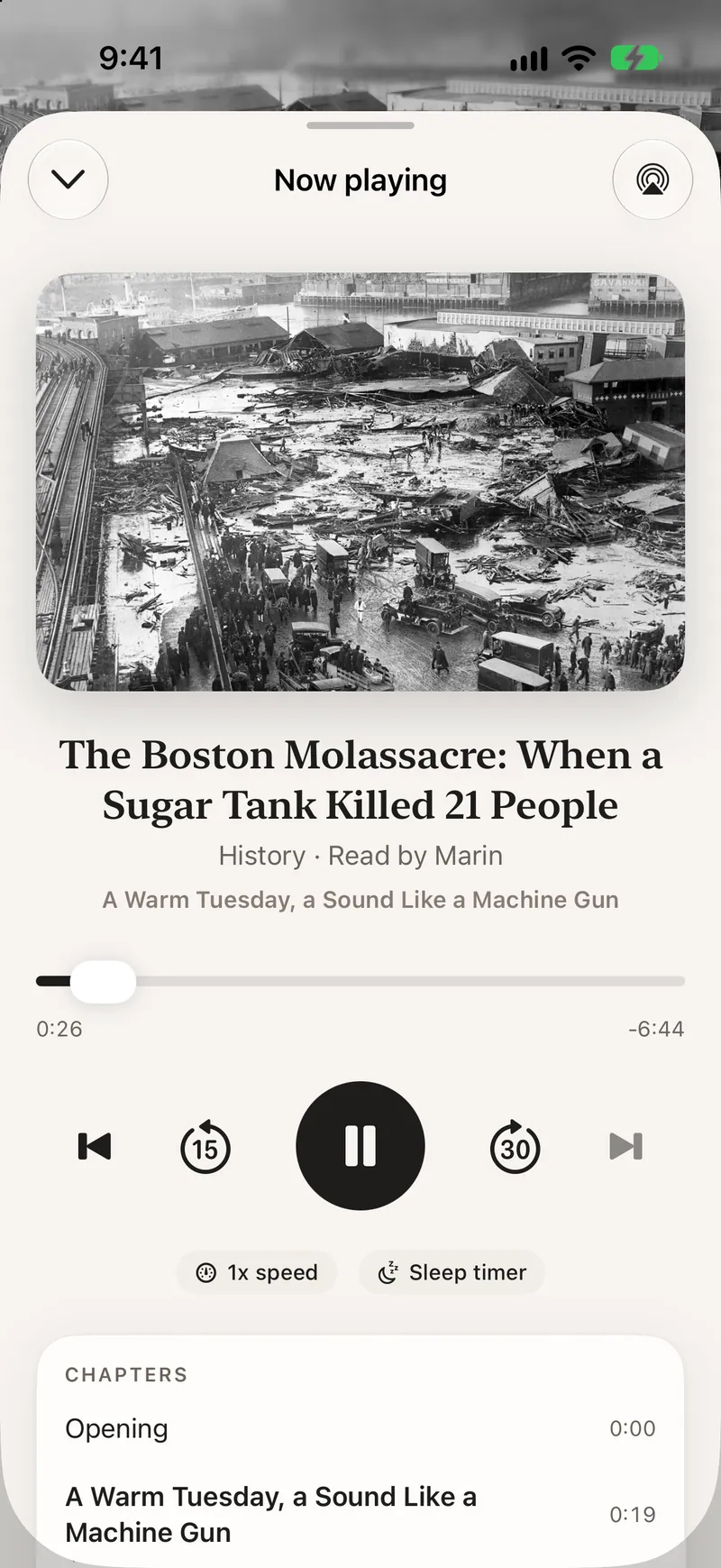
Every lorelet becomes an episode: short, standard or long (up to half an hour), usually ready within a minute or two. Listen with the screen off, from the lock screen, in the car with CarPlay, or over AirPlay.

  • Chapters, speed, sleep timer and Up Next
  • Plays through dead zones
  • Two AI narrators, Wren and Finch
  • Save any narration as an audio file
The Lorelet player narrating a lorelet, with chapters and playback controls

The toolkit

Made to be told out loud.

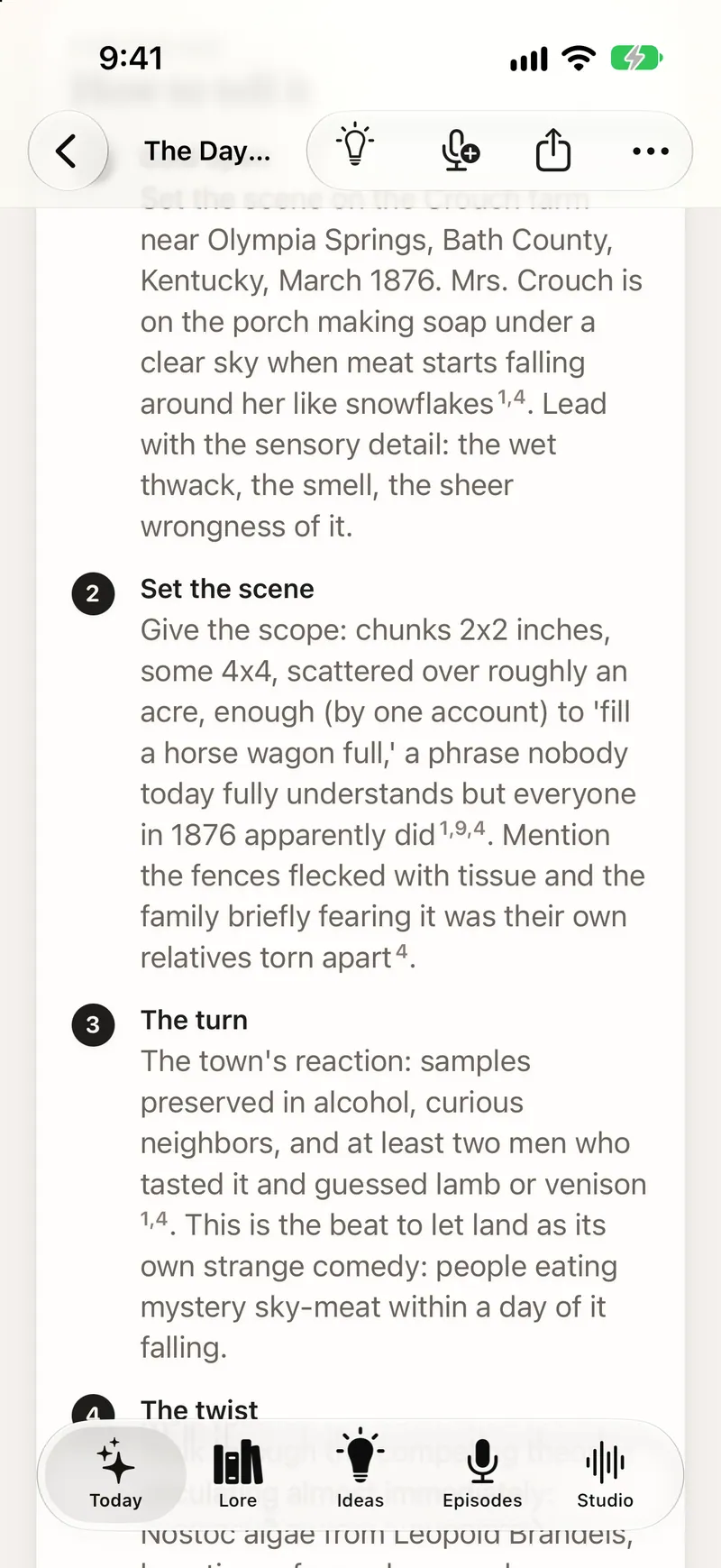
Story beats in the order that lands, conversation starters for a co-host, and rabbit holes for when you want more. The Prompter turns any lorelet into big, glanceable notes while you talk.

  • Story beats, talking points, key figures and a timeline
  • The Prompter, for reading on air
Story beats and conversation starters for telling a lorelet out loud

Studio

Record it. Then put it out.

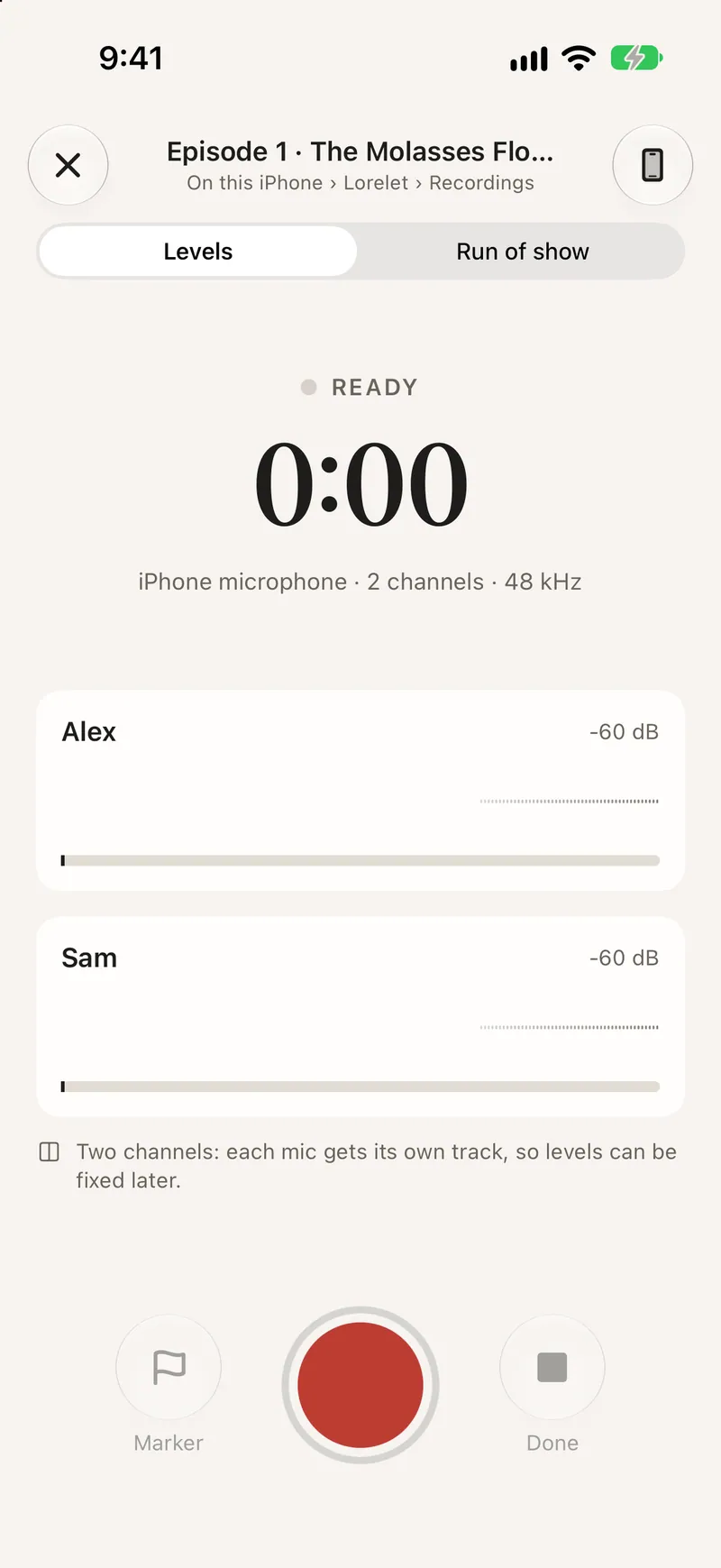
Check your mics, keep the run of show beside the meters, and drop markers as you go. Cut the stumbles, shorten long pauses, clean up the voices and add intro music. With Plus, publish to Apple Podcasts and Spotify with artwork, a transcript, chapters and show notes that link the sources.

  • AirPods, USB-C mics, and a track per person with a DJI Mic 3
  • Lossless, leveled to podcast loudness
  • Recordings stay on your devices until you publish
The Lorelet recorder with live levels, ready to record

Every morning

Stories worth telling, daily.

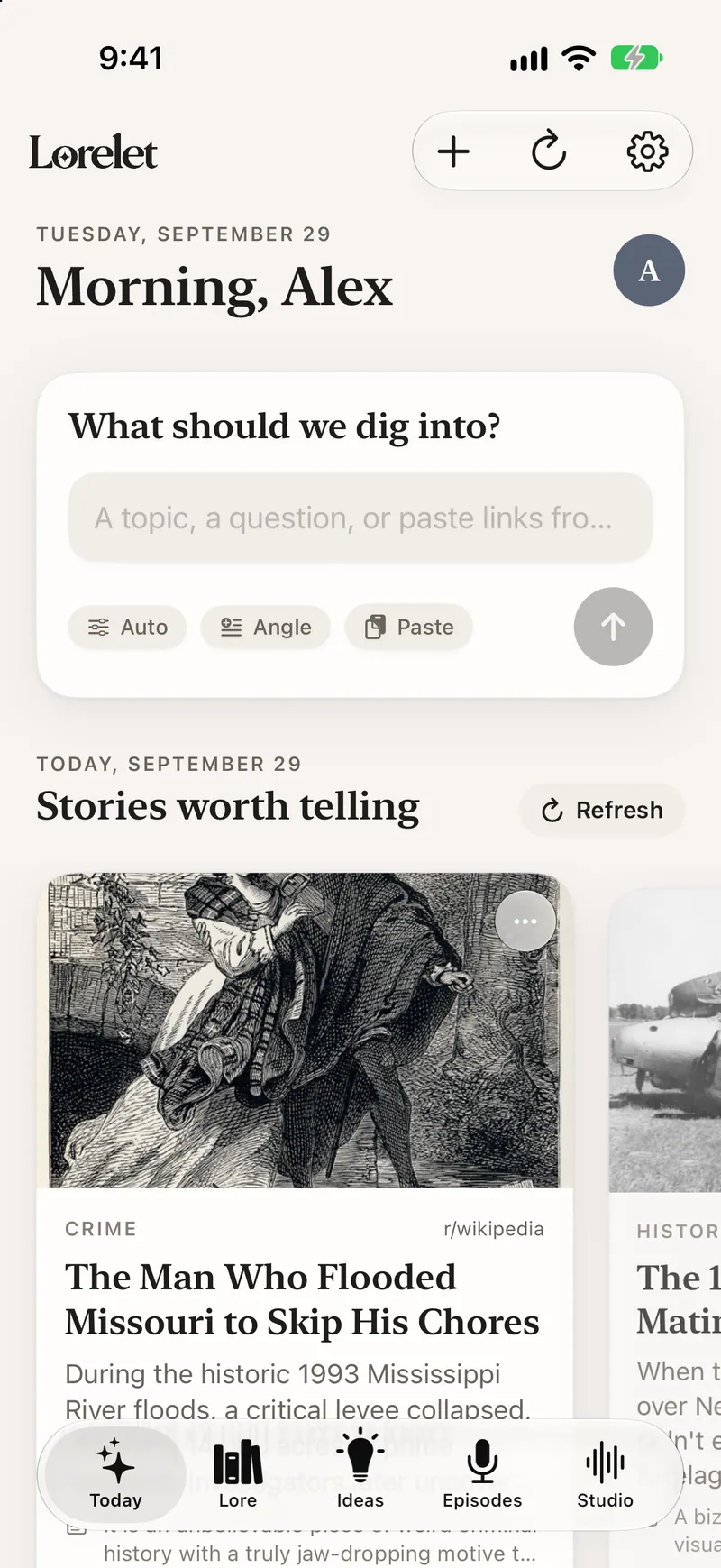
A fresh set of story ideas every morning, from encyclopedias, magazines and the internet’s favorite rabbit holes, tuned to what you save and never repeated for months. One tap turns any of them into a lorelet.

  • On-this-day history, mysteries, science and more
  • Save ideas and plan them into episodes
  • Every featured lorelet in the archive, with Surprise me
The Today screen: a composer asking what to dig into, above today’s story ideas

On iPad, too

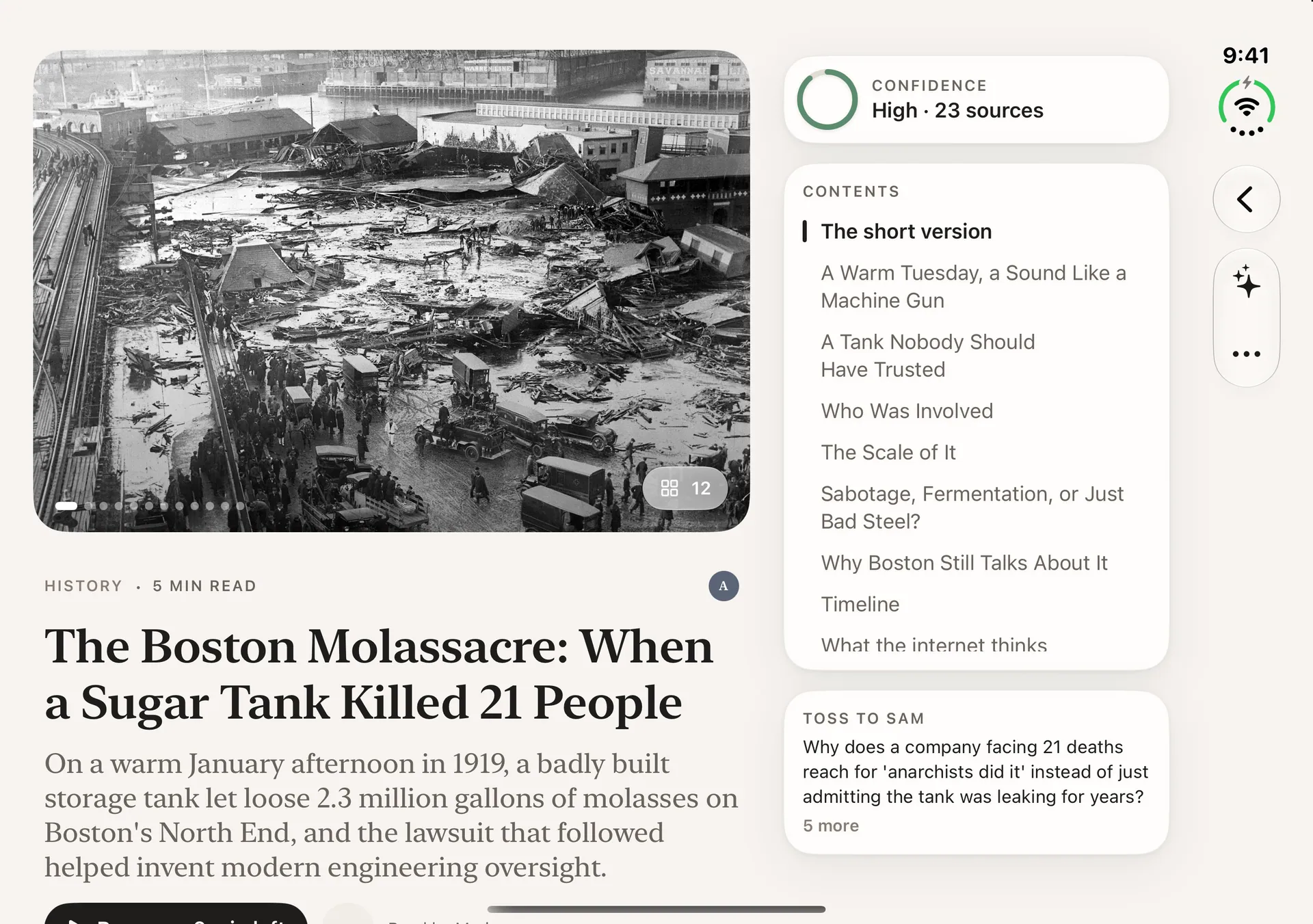
The reader opens into columns, with the contents beside the story. Your Lore follows you.

Know when it’s ready

A notification when your lorelet lands, and its progress on the Lock Screen and in the Dynamic Island.

Today’s lore, at a glance

A widget for your Home Screen and Lock Screen with the day’s free lorelets.

Just ask Siri

“Make a Lorelet,” and Siri asks what to dig into. Or have it play today’s lore.

Share a link

Send any lorelet to anyone. They can read it and hear it on lorelet.app, no app needed.

Bring a co-host

Invite a co-host to share your lorelets, ideas and episodes. Each of you makes lorelets on your own plan.

Plan it, publish it

Group lorelets into episodes and plan the run of show. Then record, add music and publish to Apple Podcasts and Spotify, with Plus.

In the car

Lorelet in CarPlay: today’s lorelets, your series and your Lore, read to you while you drive.

Private by design

No ads or tracking in the app. Your recordings stay on your devices unless you publish an episode.

Retell any story

Ask for the story of a novel, film, show or game and get what happens in it, ending included.

Make it yours

Pick the cover, add your own photos and crop them, or ask for an illustration. Series get cover art too.

The whole archive

Every featured lorelet, by month, topic or search. Save the ones you love to your Lore.

Made for iPhone Duo

Folded, it’s a phone.
Open, it’s a reading desk.

On the cover screen, everything fits comfortably in one hand.

Unfold it and the lorelet spreads out: the story on one side, the contents, confidence and conversation starters on the other.

Pricing

Free to read. Plus to make your own.

Featured lorelets are free for everyone, every day. Subscribe when you want to make lorelets about anything you like.

Free

Read and listen, no account needed.

$0forever

  • 3 featured lorelets every day, narrated
  • Daily story ideas, fresh each morning
  • The full reader: gallery, citations, confidence
  • Listen anywhere: lock screen, in the car, AirPlay

Try 2 lorelets free

Lorelet Plus

Make lorelets about anything you like.

$7.99per month

  • 12 new lorelets every month
  • Series of up to 12 parts, one lorelet a part
  • Topics, questions, or links shared from any app
  • Narration for every lorelet, in two voices
  • The storyteller’s toolkit and the Prompter
  • Studio: record, edit, add music and publish your show
  • Ideas, episodes, and PDF or Notion export

Top-up

For weeks with a lot to dig into.

$3.99one time

  • 5 extra lorelets
  • Never expire, stack with any plan
  • One-time purchase

Prices in US dollars; the App Store shows the price in your currency. Lorelet Plus renews automatically until cancelled and is billed to your Apple Account. Cancel any time in Settings > your name > Subscriptions, at least 24 hours before the end of the period. Monthly lorelets reset each period; top-up lorelets never expire. The free trial is for new subscribers and includes 2 lorelets. See the Terms of Use and Privacy Policy.

FAQ

Questions, answered.

What is a lorelet?

A little piece of lore. Lorelet (said LORE-let) researches whatever you give it and writes up the whole story: what happened, who was involved, why it matters, with pictures, a citation for every claim and a confidence score. You can read it, listen to it, or use its toolkit to tell it yourself.

How long does one take?

Usually a minute or two. You can watch it work, and you’re free to leave the app while it does. The narrated version, a short, standard or long episode (about 6, 10 or up to 30 minutes), is typically ready about a minute after the lorelet itself (a long one takes a few minutes more).

What’s a series?

One story told across 2 to 12 lorelets, called parts, for subjects too big for one sitting. Lorelet plans the arc first: a title for each part and what it covers. You can rewrite, reorder, add or cut parts, or tell it where to go and let it re-plan. Then the parts are written in order, and each one picks up where the last left off. You can also turn any lorelet you’ve made into Part 1 of a series.

Where does the information come from?

Lorelet reads sources in order of trust: peer-reviewed journals, official records, encyclopedias and universities, and major news outlets first, then the wider web. It also looks at what people are saying on forums, but treats that as opinion, never as proof. Every claim links to the source it came from.

Can I publish my podcast with Lorelet?

Yes, with Lorelet Plus. Record and edit in Studio (trims, cuts, shorter pauses, voice cleanup), add an intro, an outro or background music that dips when you talk, then publish with a title, notes and artwork. Lorelet hosts the audio and keeps your show’s feed; add it to Apple Podcasts and Spotify once, and every new episode reaches them on its own.

What’s free?

Reading and listening. Every day there are 3 featured lorelets, fully narrated, free for everyone, no account needed, plus fresh story ideas every morning. Making your own lorelets takes Lorelet Plus.

Do you sell my data or show ads?

No and no. The app has no ads and no tracking, and we never sell your data. This website uses one tag to measure whether our podcast ads bring people here; you can switch it off under Your privacy choices, and it stays off if your browser sends Global Privacy Control. The details are in our privacy policy.

All questions, including billing and privacy →

Go down the rabbit hole. We’ll bring the receipts.

Download on the App Store